



Most people pick an office table the way they pick a sofa: from a photo. Then it arrives. The monitor doesn’t fit next to the laptop, the chair can’t roll back without hitting the bed, and the drawer won’t open because the wardrobe is in the way.
If you work from a flat, and your “home office” is really a corner of the bedroom, the design of your office table matters less for how it looks and more for how it fits. This guide goes through the decisions in the order that actually matters. First, what goes on the desk. Then how big it needs to be, whether your room can take it, and only after that, the style.
We sell study and computer tables in Hyderabad, so we’ll point to our own desks at the end. Everything before that holds true whichever shop you buy from.
Start with what goes on the desk
Before you look at a single design, write down what sits on the table on a normal workday. Not the ideal day you’re planning for. The normal one.
A laptop and a coffee mug is a very different brief from two monitors, a docking station and a notebook you actually write in. The size you need follows almost entirely from that list:
| Your setup | Width that works | Depth that works |
|---|---|---|
| Laptop only, or laptop and a notebook | 3 ft (36 in) | 1.5 ft (18 in) |
| One monitor up to 24 inches, plus keyboard | 3 ft (36 in) | 1.5 to 2 ft |
| One monitor and an open laptop side by side | 4 ft (48 in) | 2 ft (24 in) |
| Two 24-inch monitors | 4 ft (48 in) | 2 ft (24 in) |
| Two monitors plus paperwork, or 27-inch screens | 5 ft (60 in) | 2 to 2.5 ft |
A quick way to check your own numbers: a 24-inch monitor is roughly 21 inches wide, and a 15.6-inch laptop is about 14 inches wide when it’s open. Add up everything you’ll place side by side, then leave a few inches on each end so nothing sits right at the edge.
The three measurements that decide the design
Width
The table above covers most of it, with one warning: wider is not automatically better. A 5 ft desk in a room with only 4.5 ft of free wall is a desk that blocks a door or half a window. Buy the width your work needs, not the biggest one the budget allows.
Depth
Depth is the measurement people skip, and it’s the one that decides whether you can work a full day at the desk. Ergonomic guidance generally puts a monitor about an arm’s length from your eyes. On a 1.5 ft deep desk, a monitor with a keyboard in front of it leaves you perched on the edge of your chair. At 2 ft, you can actually sit back.
A shallow desk isn’t a bad desk. It just suits a laptop or a few hours of study better than an eight-hour workday. If your space is tight, a pull-out keyboard tray helps a lot: the keyboard drops below the top, and the monitor gets the full depth to itself.
Height
Standard seated desk height is about 29 to 30 inches (74 to 76 cm), and that’s right for most adults, as long as the chair adjusts. The test is simple. Sit with your feet flat on the floor and your hands on the keyboard. Your elbows should rest at roughly a right angle.
If the desk is fixed at 30 inches, a chair with hydraulic height adjustment does the fine-tuning. That’s why, for most people, we’d rather see the money go into a good adjustable chair than an adjustable desk.
Measure your room before you fall for a photo
This is the rule we use when someone sends us their room measurements:
Floor space needed = desk width × (desk depth + about 2 to 2.5 ft for the chair)
That extra 2 ft or so is the room your chair needs to roll back when you stand up. Skip it and you’ll be squeezing out sideways every time you get up for water.
- A 3 × 1.5 ft desk needs roughly 3 × 3.5 ft of floor.
- A 4 × 2 ft desk needs roughly 4 × 4.5 ft.
- A 5 × 2.5 ft desk needs roughly 5 × 5 ft.
Then check what a tape measure misses. Which way does the door swing? Will the desk drawer open fully without hitting the bed or the wardrobe? Where’s the nearest plug point? In many flats the only free wall is the one with the window. That’s lovely for daylight, but set the screen at a right angle to the glass rather than facing it, or you’ll be fighting glare every afternoon.
Office table design styles, and who each one suits
The classic desk with side storage
A flat top with drawers or a small cabinet on one or both sides. It’s the most familiar office table design in India, and for good reason. The storage keeps chargers, files and stationery off your working surface, and the side units make the whole desk steadier. The trade-off is weight, and the storage eats a little of your leg room, so check there’s clear knee space in the middle.
Desks with a pull-out keyboard tray
Worth having on any desk under 2 ft deep, or on any desk where you want the top free for writing. Check the tray height against your chair: your forearms should stay roughly level, not reach up to type.
L-shaped desks
Great if you have a spare corner and genuinely need two work zones, say a computer on one side and drawing or paperwork on the other. They take a lot of floor, though, and they’re awkward to move into another room later. We don’t sell L-shaped desks, so take this as neutral advice: measure twice before buying one anywhere.
Wall-mounted and foldable tables
The right call for very small rooms, or rented flats where you need the floor back in the evening. They’re less steady for typing all day and usually don’t hold a monitor well. Fine for a laptop and a couple of hours. Not what we’d choose for full-time work.
Height-adjustable standing desks
Worth it if you already know you want to switch between sitting and standing through the day. They cost several times more than a fixed desk, and they only pay off if you actually use the standing position. If you’re not sure you will, start with a well-sized fixed desk and a good chair. You can always add a desktop riser later.
Materials: what “engineered wood” really means
Most budget and mid-range office tables in India are made of engineered wood: particle board or MDF with a laminate surface bonded on top. That’s not a trick, as long as the seller says so plainly instead of calling it “wooden”. Engineered wood stays flat, doesn’t split, and a good laminate resists scratches and wipes clean in seconds.
Its weak point is water. Don’t leave a wet glass sitting on it, and don’t mop around the legs with a soaking cloth. Look after that and it will last for years.
Solid wood looks and ages beautifully, but it costs a lot more, weighs more, and can move with humidity if it wasn’t seasoned properly. Metal-frame desks are light and strong, though the top is usually engineered wood anyway. For a home office on a sensible budget, a well-made engineered wood desk with a laminate finish is the honest recommendation. It’s also what ours are made of.
Storage: drawers, cabinet or open shelf?
Drawers are for small things you reach for every day. A cabinet is for files and anything you’d rather not look at. Open shelves are quick to use, but they collect clutter in plain sight.
If you work from your bedroom, closed storage makes a bigger difference than you’d expect. At the end of the day you put the work away, and the room goes back to being a bedroom.
Don’t design the desk and forget the chair
A good office table with the wrong chair is still an uncomfortable place to work. Check these three things together:
- Height range. The chair should adjust so your elbows sit level with a 30-inch desk. A hydraulic (gas-lift) chair handles this easily.
- Armrests. Fixed armrests that sit higher than the desk top stop you pulling in close. Adjustable armrests avoid the problem.
- Back support for long days. For a few hours a day, a mesh mid-back chair is enough, and it stays cooler through a Hyderabad summer. For eight-hour days, look for a high back, a headrest and lumbar support.
If you’d rather not work this out piece by piece, a table and chair combo that’s already matched for height takes the guesswork out.
Five mistakes worth avoiding
- Buying from the photo alone. Lifestyle photos are shot in large rooms with wide lenses. Go by the dimensions in feet or inches.
- Ignoring depth. It decides how far the screen is from your eyes, and a cramped depth is what makes a desk tiring by evening.
- Forgetting the chair’s pull-back space. Keep about 2 ft clear behind the desk.
- Not checking the way in. An assembled desk has to pass through your front door, the lift and any tight corridor turns. If you’re on a higher floor, measure the lift door too.
- Paying for size you won’t use. A 5 ft desk for a laptop-only setup mostly ends up collecting clutter.
Which Dtable desk suits which setup
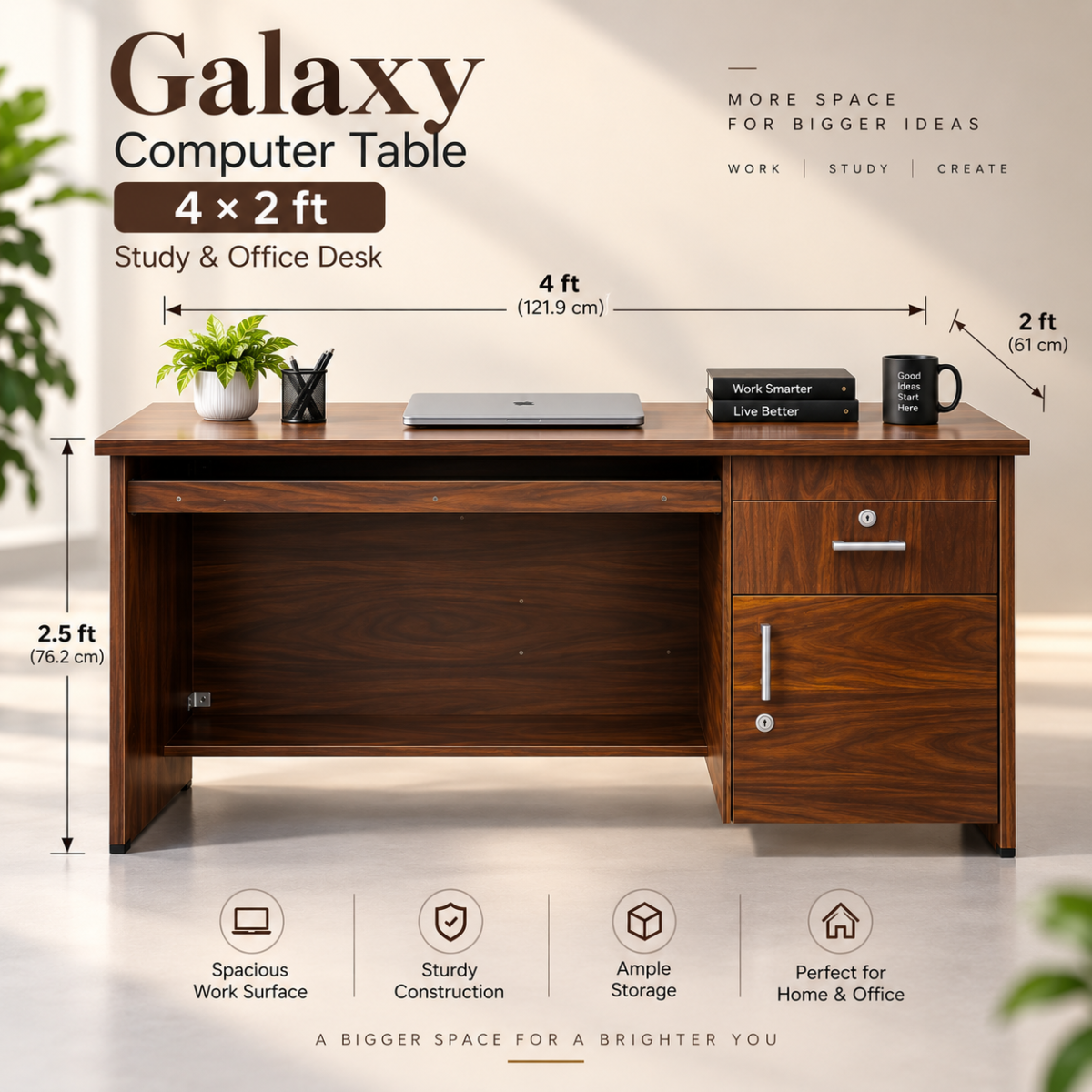
All three of our computer tables are engineered wood with a laminate finish, 30 inches high, with a pull-out keyboard tray and built-in storage. They arrive fully assembled, so there’s no flat-pack evening waiting for you.
| Desk | Size | Floor space with chair | Best for | Price |
|---|---|---|---|---|
| Star | 3 × 1.5 ft | About 3 × 3.5 ft | A laptop or one monitor. Study corners and hostel rooms. | ₹6,000 |
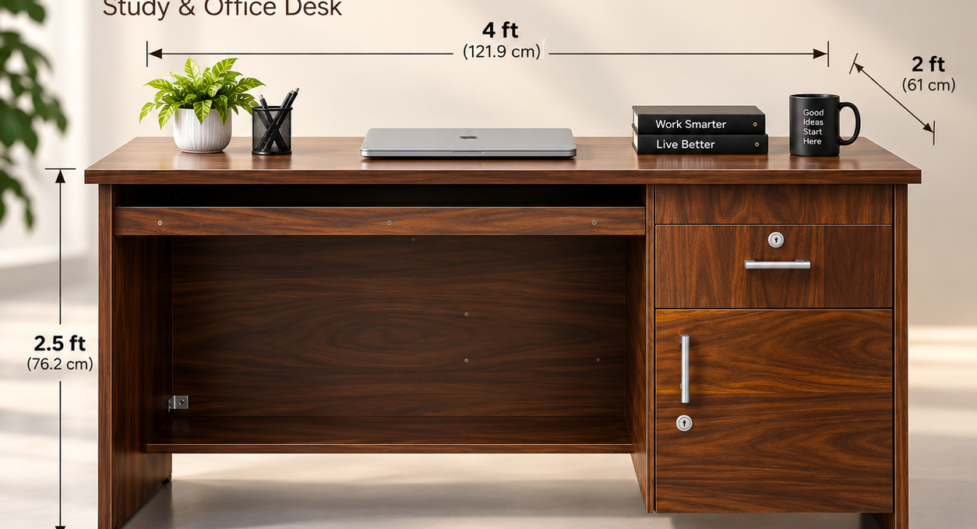
| Galaxy | 4 × 2 ft | About 4 × 4.5 ft | Two monitors, or a monitor and a laptop. Most work-from-home setups. | ₹7,500 |
| Elite | 5 × 2.5 ft | About 5 × 5 ft | Full-day work with a monitor, keyboard and paperwork spread out. | ₹9,000 |
Want the chair sorted at the same time? Our table and chair combos start at ₹8,499, and each one pairs a desk with a chair that suits how long you’ll sit at it. The Work From Home combo is the one we recommend most for full-time remote work.
We deliver between 7 AM and 7 PM. Order before 7 PM and your desk can reach you the same day in Gachibowli, Madhapur, Kondapur and Kukatpally, and the next morning in most other parts of Hyderabad. Still not sure which size fits? Send us your room measurements on WhatsApp and we’ll tell you straight, even if the answer is that none of ours will.
Frequently asked questions
What is the standard size of an office table for home use?
The most common sizes are 3 × 1.5 ft for a laptop or a single monitor, 4 × 2 ft for most work-from-home setups, and 5 × 2.5 ft for full-time work with a lot on the desk. Standard height is about 30 inches.
What is the ideal height for an office table?
Around 29 to 30 inches (74 to 76 cm) suits most adults when it’s paired with a height-adjustable chair. Your elbows should sit at roughly a right angle while you type.
Is a 4×2 office table big enough for two monitors?
Yes, for two 24-inch monitors. They take up about 42 inches side by side, and a 4 ft desk gives you 48. For two 27-inch screens, a 5 ft desk is more comfortable.
How much space do I need for an office table and chair?
Take the desk width, and add about 2 to 2.5 ft to the desk depth for the chair to move back. A 4 × 2 ft desk needs roughly 4 × 4.5 ft of floor.
Is engineered wood good for an office table?
Yes, if it has a good laminate finish and you keep it away from standing water. It stays flat, resists scratches, and costs much less than solid wood.